
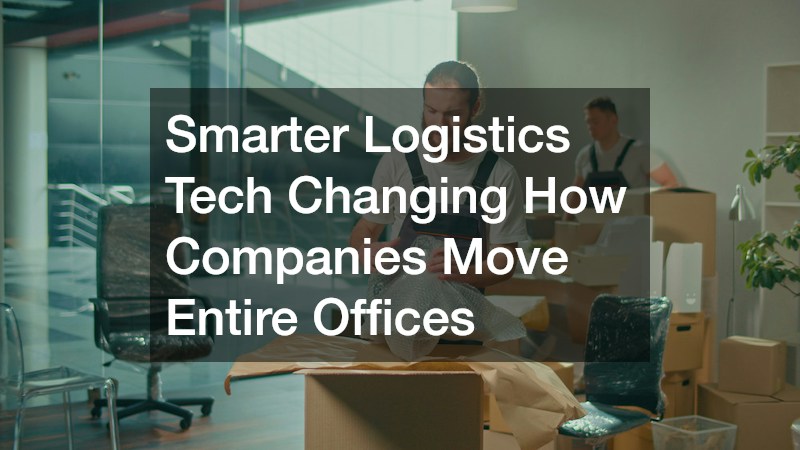
Relocating an entire office used to mean weeks of chaos, mislabeled boxes, and lost productivity while employees scrambled to find their staplers. Today, a wave of smart technology is transforming that experience into a streamlined, predictable process that companies can actually plan around. From inventory-tracking apps to AI-driven scheduling, the tools available now help businesses avoid downtime, control costs, and keep employees informed every step of the way. If you are weighing options for an upcoming move, understanding these innovations can help you make a far smarter decision.
Digital Inventory Tracking for Office Assets
Gone are the days of handwritten clipboards and guesswork when it comes to tracking what is being packed and shipped. Modern inventory systems use barcode scanning or QR codes attached to boxes, furniture, and equipment, giving project managers a real-time view of everything in transit. This means nothing gets lost in the shuffle, and if an item goes missing, its last scanned location is immediately available.
These platforms also integrate with asset management software many companies already use, making it easier to reconcile what left the old office with what arrives at the new one. Employees benefit too, since they can often look up where their personal workstation items are during the move.
- Barcode or QR code labeling for every box and large item
- Real-time dashboards showing packing, loading, and delivery status
- Automatic alerts for missing or delayed items
- Integration with existing IT and asset management systems
Route Optimization and Scheduling Software
One of the biggest headaches in a large office move is coordinating logistics across multiple trucks, floors, and sometimes multiple buildings. Route optimization software now calculates the fastest, most efficient paths for moving vehicles while factoring in traffic patterns, loading dock availability, and delivery windows. This reduces the time equipment sits idle and helps keep the entire relocation on a tighter schedule. These platforms typically pull in live data feeds, including construction closures, weather conditions, and city-specific freight restrictions, to reroute trucks in real time rather than relying on a fixed plan made days in advance. For a move spanning several city blocks or neighboring suburbs, that kind of flexibility can shave hours off a timeline that would otherwise be thrown off by a single blocked street or a missed loading dock slot. Scheduling tools add another layer by sequencing which teams and vehicles go where, and in what order. A well-built schedule accounts for how long it takes to clear out a given floor, how many elevators are available, and when a building’s dock is actually free for use, so crews aren’t stuck waiting around with a full truck and nowhere to unload. For companies managing moves across multiple office locations at once, this software also helps dispatchers balance workloads, ensuring no single crew or vehicle is overbooked while others sit underused. The result is fewer overtime costs, less fuel wasted idling in traffic, and a move that stays closer to its original budget and deadline.
Scheduling tools also allow move coordinators to sequence which departments pack and move first, minimizing disruption to daily operations. The software typically factors in dependencies between teams, floor layouts, and elevator or loading dock availability to generate a move order that avoids bottlenecks. A finance team, for example, might be scheduled last so billing cycles are not interrupted, while IT infrastructure moves early to ensure systems, servers, and network drops are ready before everyone else arrives. These platforms often break the relocation into waves or phases spread across a weekend or several evenings, rather than one chaotic single-day push. Coordinators can assign specific time slots to each department — say, HR on Friday afternoon and customer support late Saturday — and the software will flag conflicts if two teams are booked for the same freight elevator or loading bay at once. Many tools also build in buffer time for unexpected delays, such as a truck running behind schedule or furniture arriving damaged, so one hiccup doesn’t cascade into a missed deadline for the next department. Dashboards give coordinators real-time visibility into which teams have packed, which are in transit, and which are already set up at the new site, making it easier to communicate accurate timelines to employees and leadership throughout the move.
- Real-time traffic and route adjustments for moving trucks, rerouting around accidents or closures to protect tight moving-day windows
- GPS-based ETAs shared with office managers so teams know exactly when to expect trucks at the loading dock
- Department-by-department scheduling to limit business disruption, often moving low-priority teams first and customer-facing staff last
- Automated reminders sent to employees about their move timeline, including packing deadlines and label pickup times
- Coordination tools for multi-building or multi-floor relocations, syncing elevator bookings, loading dock access, and freight schedules
- Capacity planning features that calculate truck counts and crew sizes based on inventory volume and floor layouts
Cloud Platforms for Project Coordination

Office relocations involve dozens of moving parts, and cloud-based project management platforms now serve as the central hub connecting facilities teams, vendors, and employees. These platforms let everyone see the same updated timeline, reducing the miscommunication that often plagues large moves. Documents like floor plans, vendor contracts, and packing checklists live in one shared space accessible from any device.
This transparency is especially useful when working with external partners. Many business moving companies now offer their own client portals or integrate with popular project management software, so businesses can track progress without constant phone calls or email chains. Having this single source of truth also makes it easier to spot bottlenecks before they become costly delays.
- Shared timelines accessible to internal teams and outside vendors
- Centralized document storage for contracts, floor plans, and checklists
- Mobile access for on-the-go updates during the move
- Automated progress reports for leadership visibility
Smart Labeling and RFID for Equipment Security
Office moves often involve expensive electronics, sensitive documents, and specialized equipment that cannot afford to go missing. RFID tags have become a popular solution because they allow items to be scanned in bulk without needing a direct line of sight, speeding up both loading and unloading. This technology also creates an audit trail, which is valuable if a company needs to verify that all equipment arrived safely.
Security-conscious businesses, particularly those in finance or healthcare, are increasingly requiring this level of tracking for compliance reasons. Knowing exactly where a server rack or a box of patient records is at any given moment reduces liability and builds trust with clients and regulators alike.
- Bulk scanning capability without manual barcode alignment
- Audit trails for compliance-sensitive industries
- Reduced risk of lost or misplaced sensitive equipment
- Faster loading and unloading compared to manual counts
Employee Communication Apps During Transition
A smooth office move depends heavily on keeping employees informed, and dedicated communication apps have made this far easier than mass emails ever could. These apps send personalized updates about packing deadlines, new desk assignments, and parking or building access at the new location. Some even include interactive floor maps so employees can preview their new workspace before move-in day.
This kind of proactive communication reduces anxiety and confusion, which in turn helps maintain productivity during a period that can otherwise feel disruptive. Many of these tools also collect feedback, allowing facilities teams to quickly address concerns like missing equipment or seating issues once the move is complete.
- Push notifications for packing deadlines and move-day logistics
- Interactive maps of the new office layout
- Two-way feedback channels for post-move concerns
- Personalized schedules based on department or team
Office relocations will likely always involve some complexity, but smarter logistics technology has made the process far more manageable and predictable than it once was. By understanding how inventory tracking, scheduling software, and communication tools work together, you can ask better questions when evaluating vendors and set realistic expectations internally. Take time to map out which of these technologies matter most for your company’s size and industry before committing to a moving plan. Doing so will help ensure your next office transition is efficient, secure, and far less stressful for everyone involved.
